ColorTris : Classic Neon Block
Experience the classic tile-matching puzzle game with colorful luminous shapes.
ColorTris brings colorful luminous shapes to the classic puzzle game.

The objective of the game is to survive as long as possible by guiding the falling block pieces to fill rows and clear them. If the block pieces keep stacking up and one of them touches the ceiling, it's game over! 🎰
Some key features of ColorTris are :
- A selection of 36 luminous colors to light up the game.💡🎨
- Not just the same old square, play with 32 distinct shapes. 🕸️❄️
- Customizable control buttons. ⬅️➡️
- Cloud saving, to keep your progress safe. ✨🎆
- High scores, achievements and leader-boards. 🥇📊
- Controller, keyboard and touch support. 🎮🕹️
- Daily quests and reward bundles. ⏳💰
For our favorite Tetris-style games, see our list of the best Tetris games.
How to play

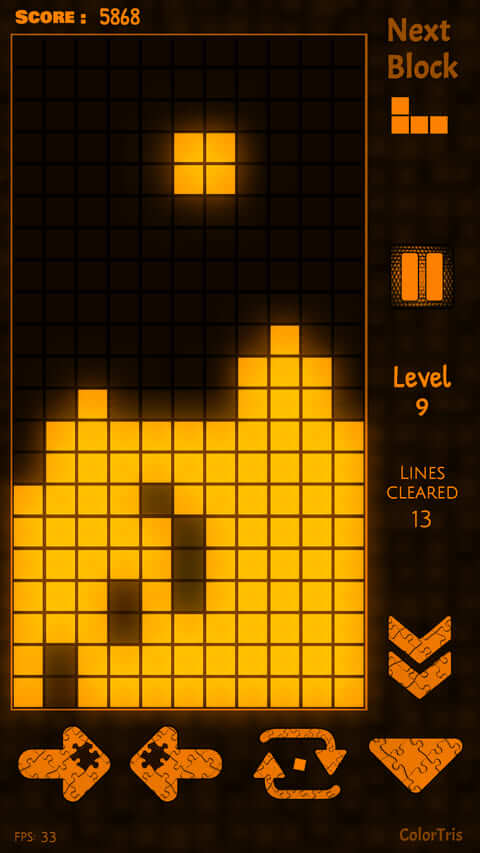
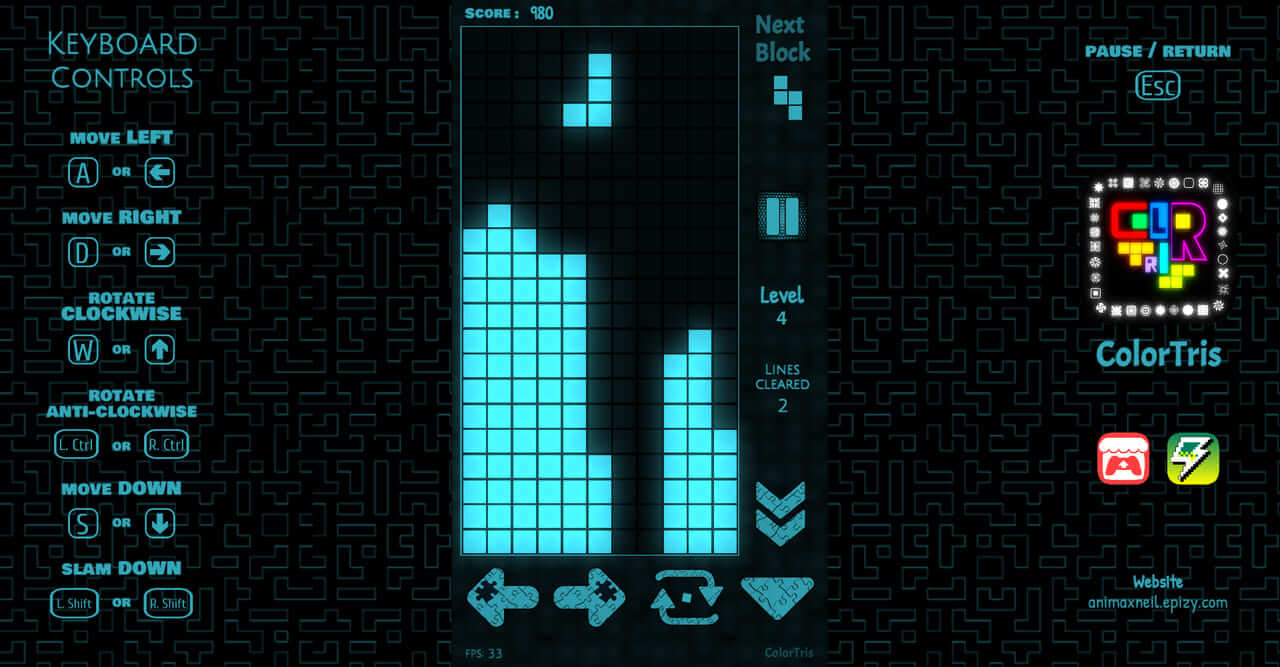
Move each falling block left or right, rotate it and drop it into place. The next block waits beside the board, above your level and the number of lines cleared.
On a phone, the touch buttons under and beside the board move the block, rotate it, move it down and slam it down. On a computer, use the keyboard :
- Move: A and D, or the left and right arrows.
- Rotate: W or the up arrow turns the block clockwise, and Ctrl turns it counterclockwise.
- Move down: S or the down arrow. Shift slams the block down.
- Pause: Esc.
Every block that lands scores points, clearing several lines at once scores far more, and the higher your level, the more each one is worth :
- A block lands: 11 + 2 × level
- 1 line: 100 + 20 × level
- 2 lines: 300 + 60 × level
- 3 lines: 900 + 180 × level
- 4 lines: 3300 + 660 × level
Colors and shapes
Pick from 36 luminous colors in six sets of six, from Red, Green and Blue in Set A to Lavender and Mint Blue in Set F. MultiTris AB gives every block a random color from Sets A and B. Whatever you choose lights up the whole game, menus included.
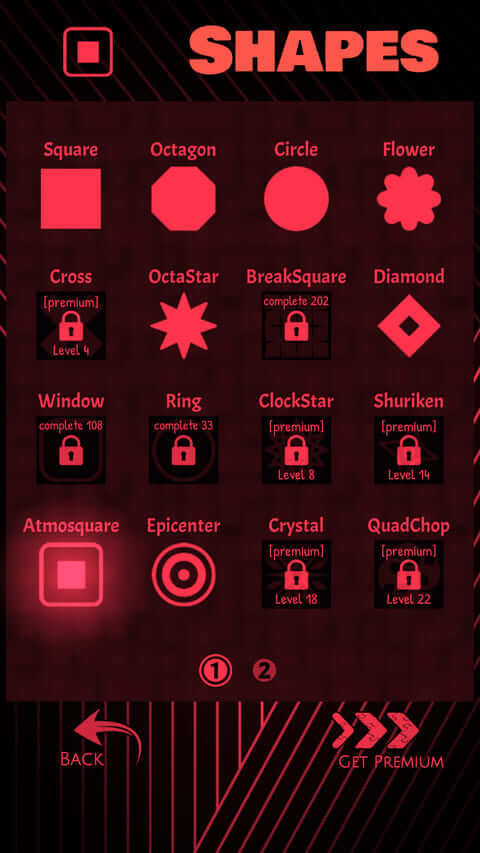
Each block is made of small tiles, and the tiles come in 32 shapes: the plain Square, Octagon, Flower, Shuriken, Atmosquare, QuadChop and more. Some unlock as you play. Any in-app purchase made will unlock premium shapes and will let you disable all ads. ⚡🛫
Daily quests and S-coins
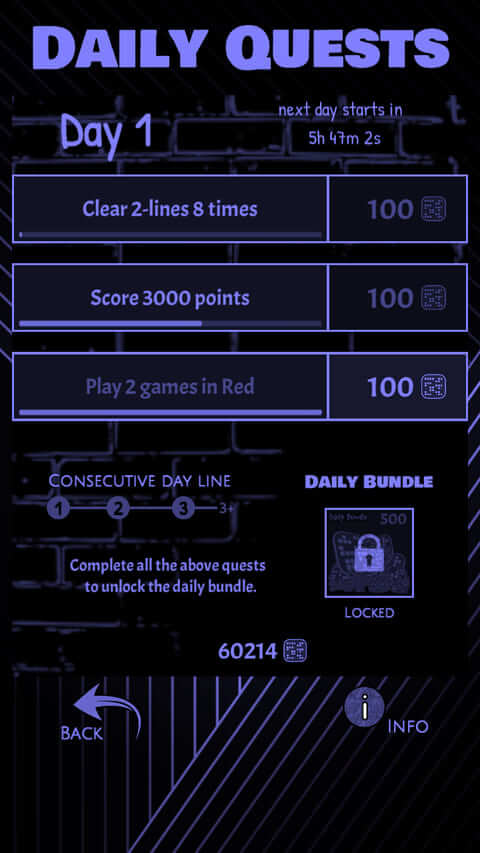
Every day brings three quests, such as "Clear 2-lines 8 times", "Score 3000 points" or "Play 2 games in Red". Each one pays 100 S-coins, and finishing all three unlocks the daily bundle. Come back day after day to fill the consecutive day line.
S-coins, or Square-coins, are the ColorTris currency. Every game you finish pays you a tenth of your score in S-coins, and you can spend them on new color sets and other items. Let the S-coins rain!
Settings and high scores
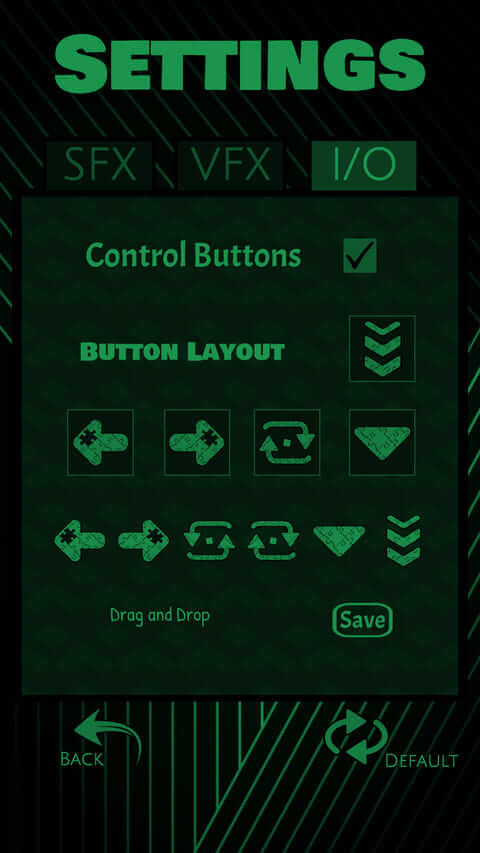
The Settings screen has three tabs. SFX turns the menu music, game music, button sounds and alerts on or off, and even single sound effects such as rotation or a line clear. VFX holds the visual effects, such as the glowing blocks, which you can turn off for smoother gameplay. I/O lets you hide the on-screen buttons or drag them into your own layout.
High scores keep the old arcade spirit: when you make one, you sign it with a name of two to four letters or digits, and the high score list shows its date, score, level and lines.
Sign in to your Google Play Games account and save your progress on the cloud.
On PC and the web
ColorTris started on Android. A web demo followed in November 2020, and in 2021 the full game came to Windows and Linux, with full keyboard and controller support. On itch.io and Game Jolt you can pay what you want for it, and you can play it in your browser on CrazyGames. The Android version is on itch.io too.
Links :
 Google Play (unpublished)
 itch.io (opens in a new tab)
 Game Jolt (opens in a new tab)
 Crazy Games (opens in a new tab)
If you like this article,